
Our Products
Comprehensive industrial automation solutions for global industries
Contact us
If you are interested in our products and want to know more details,please Contact us,we will reply you as soon as we can.
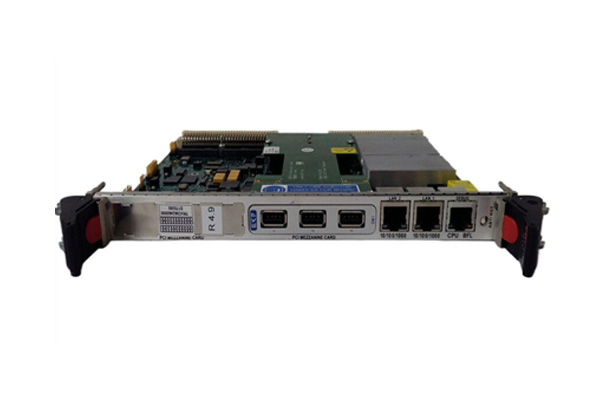
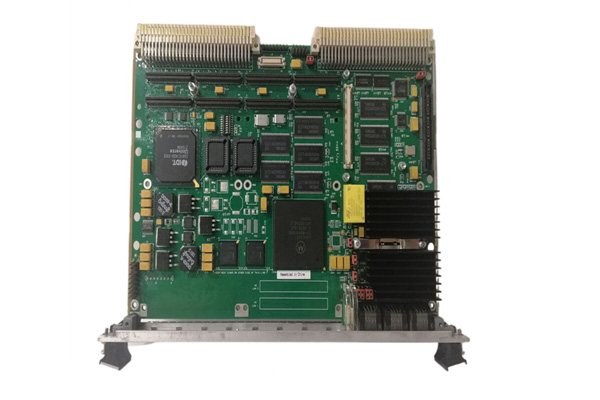
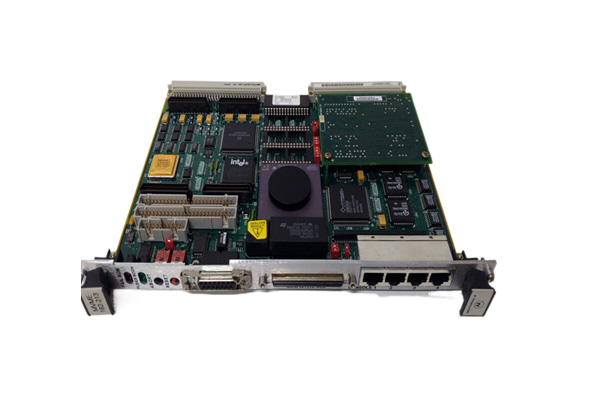
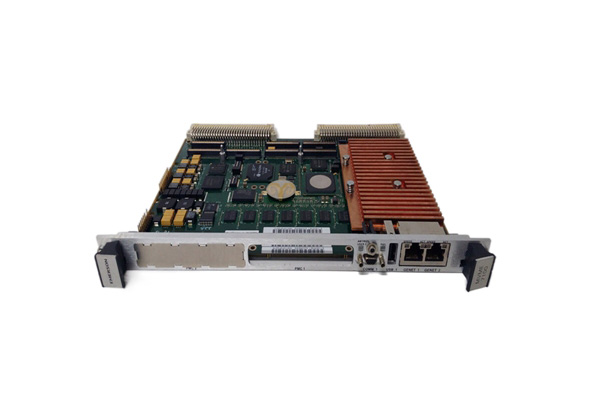
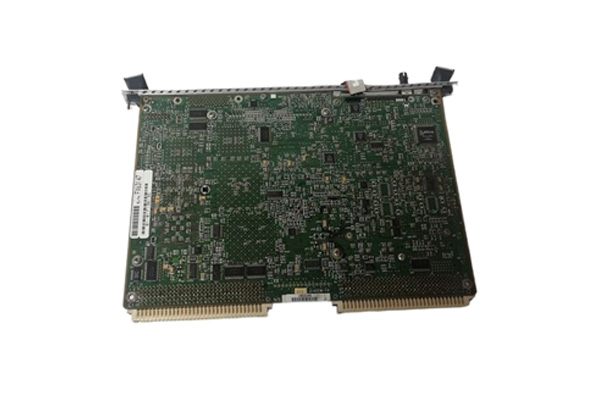
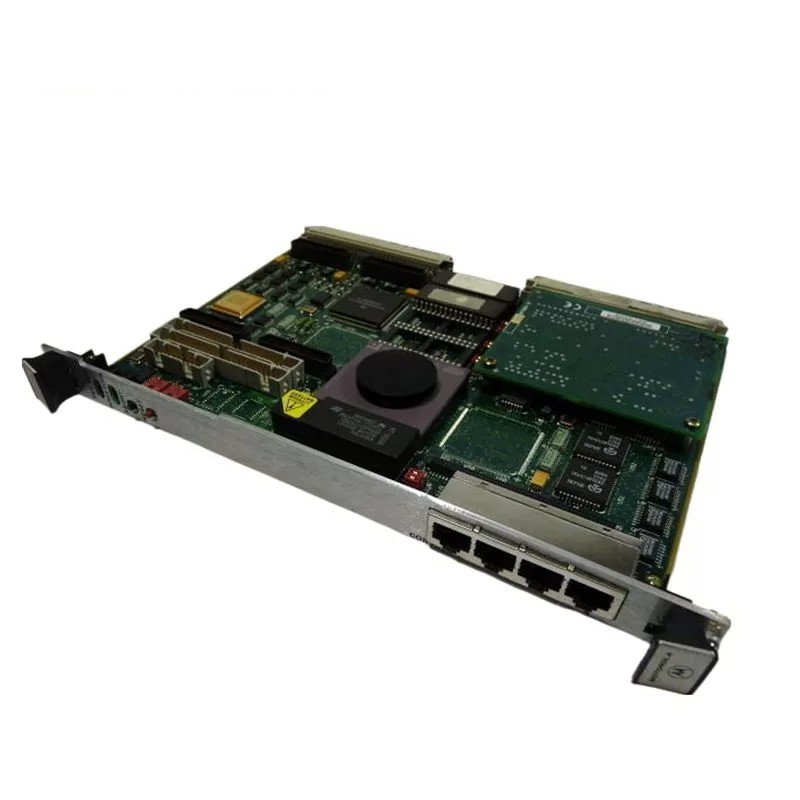
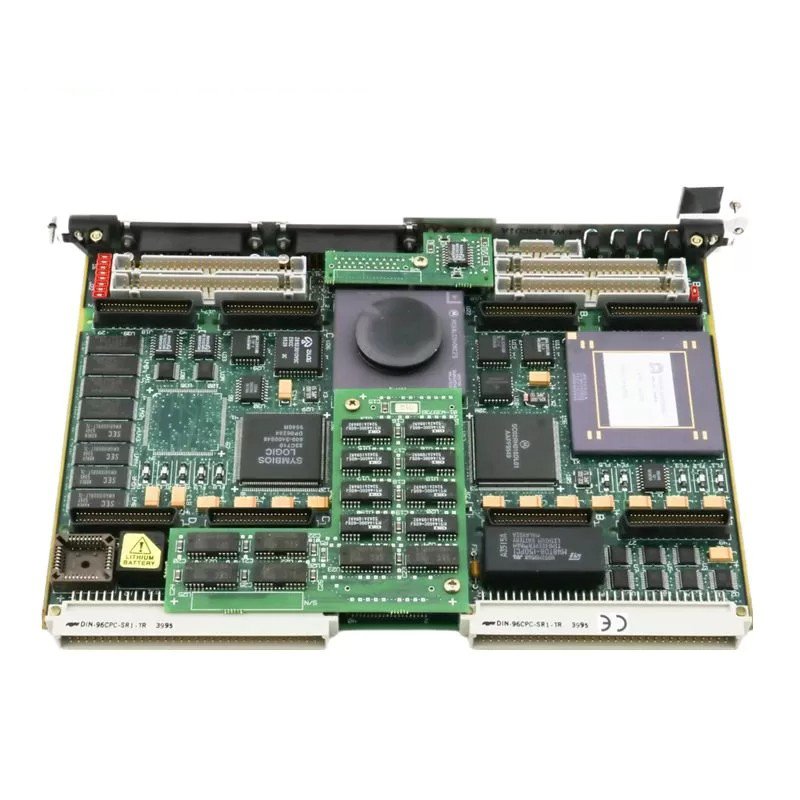
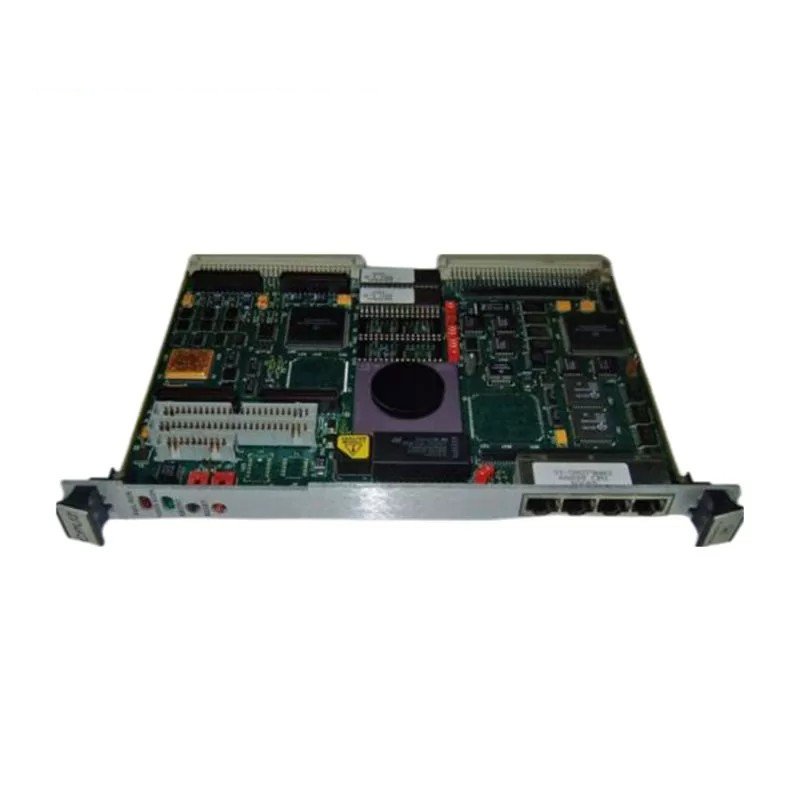
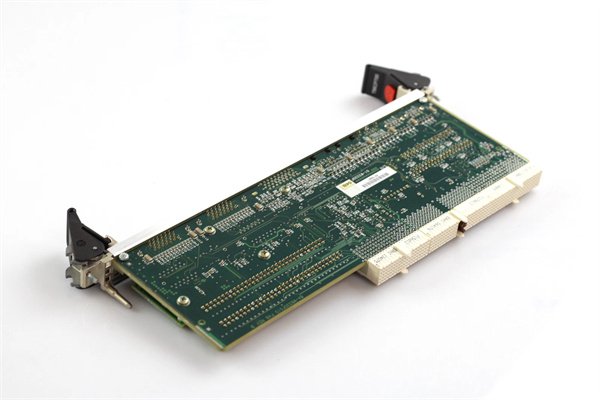
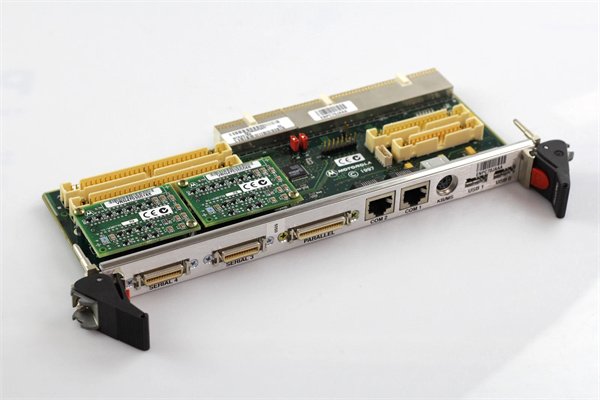
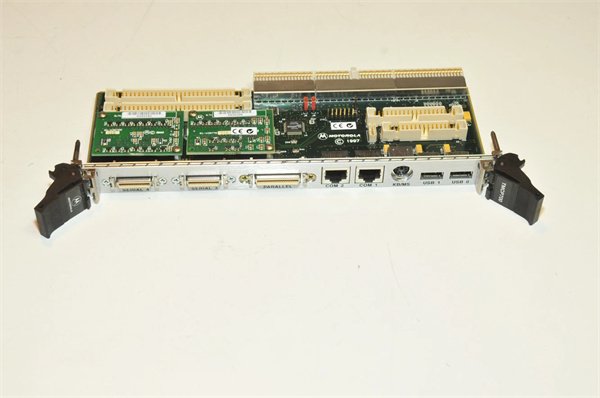
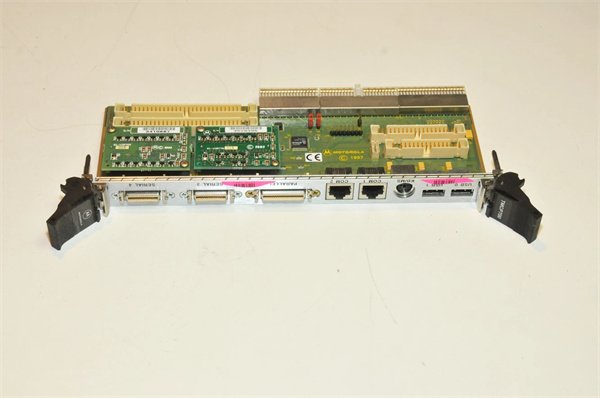
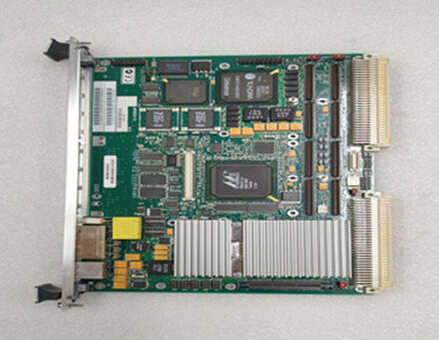
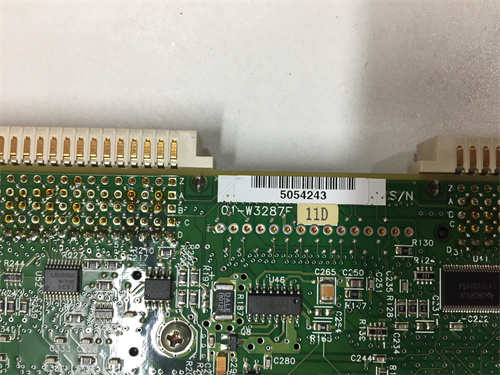
Motorola TMCP700 Transition module
Manufacturer: Motorola (Emerson)
Product Number: TMCP700
Category: CompactPCI Transition Module
System Compatibility: MCP 750 CompactPCI Single Board Computer
Function: Bridges standard peripheral ports to the front panel
Form Factor: CompactPCI transition module
Operating Temperature: 0°C to +55°C
Product Description
The Motorola TMCP700 is a transition module that played a pivotal role in CompactPCI systems. Engineered by Motorola, it was designed to bridge the gap between standard peripheral ports and the MCP 750 CompactPCI single–board computer module. Despite being discontinued, it remains relevant in legacy systems where its unique set of interfaces is crucial for maintaining system functionality.
Unlike some modern, all–in–one interface solutions, the TMCP700 was specifically tailored for the CompactPCI architecture prevalent in industrial, networking, and some specialized computing applications. It allowed for seamless integration of various legacy and standard I/O devices into the CompactPCI ecosystem, which was not always possible with generic interface cards.
In today’s context, for those still operating legacy CompactPCI–based systems, the TMCP700 serves as an irreplaceable component. For example, in certain industrial control systems where the MCP 750 is still in use, the TMCP700 enables the connection of older serial–based sensors, parallel–connected actuators, and legacy storage devices. Replacing the TMCP700 would require a complete overhaul of the system’s I/O infrastructure, which could be both time–consuming and expensive, sometimes costing upwards of $50,000 for a medium–sized industrial setup.
Detailed parameter table
| Parameter name | Parameter value |
| Product model | Motorola TMCP700 |
| Manufacturer | Motorola (now under Emerson’s portfolio) |
| Product category | Transition module for CompactPCI systems |
| Interfaces | Two asynchronous serial ports (DTE); Two asynchronous/synchronous serial ports; One parallel port (IEEE 1284–I compliant); One combination keyboard/mouse port; Two 60–pin Serial Interface Module (SIM) connectors; One 40–pin header for EIDE port; One 34–pin header for floppy port; Two 64–pin headers for PM CIO |
| Protection Features | Electro–magnetic interference (EMI) protection; Electro–static discharge (ESD) protection |
| Board Dimensions | Height: 9.187 inches (233.35 mm); Width: 3.200 inches (80.00 mm); Thickness: 0.063 inches (1.60 mm); Single–width board |
| Power Requirements | +5 VDC, 175 mA typical, 250 mA maximum; +12 VDC, 100 mA typical, 200 mA maximum (for some SIMs);–12 VDC, 100 mA (for some SIMs) |
| Application | Interface between standard ports (parallel, EIDE, floppy, keyboard/mouse, serial) and the MCP 750 CompactPCI single–board computer module |
| Product Life Cycle | Discontinued/Obsolete |
| Memory | 295 kb (as per some sources, may vary in different configurations); Can support additional flash memory |
| Communication Ports | Remote I/O (RIO); RS232 (printer) as additional communication options in some setups |
| Input Voltage Range |
35–269 V AC, 48–67 Hz (for some power–related operations, might be related to power supplies in certain applications) |
Core advantages and technical highlights
Diverse Interface Support
The TMCP700 offers an extensive range of interfaces. Its two asynchronous serial ports (DTE) and two asynchronous/synchronous serial ports are ideal for connecting to a wide variety of serial–based devices. In a manufacturing plant, these serial ports are used to communicate with legacy barcode scanners and older–generation programmable logic controllers (PLCs). The IEEE 1284–I compliant parallel port is valuable for interfacing with parallel–connected printers or certain data acquisition devices. A printing facility still uses the TMCP700’s parallel port to operate an old–but–reliable high–volume industrial printer, as modern interface cards lack the necessary drivers and protocols for this specific printer model.
EMI and ESD Protection
With built–in electro–magnetic interference (EMI) and electro–static discharge (ESD) protection, the TMCP700 ensures reliable operation in electrically noisy environments. This is especially crucial in industrial settings where electromagnetic fields from motors, transformers, and other equipment can disrupt normal operation. In a power generation plant, the TMCP700’s EMI protection allows it to function without glitches in close proximity to large–scale electrical machinery. The ESD protection helps prevent damage from static electricity, which can be a common issue in environments with low humidity or where workers are constantly handling equipment.
CompactPCI–Specific Design
Designed specifically for CompactPCI systems, the TMCP700 fits seamlessly into the existing architecture. Its single–width board design optimizes space utilization within CompactPCI chassis. In a networking router setup that uses CompactPCI technology, the TMCP700 occupies minimal space while providing all the necessary interface conversions. This is in contrast to trying to adapt non–CompactPCI–specific interface cards, which often require additional mounting brackets and may not be electrically compatible with the CompactPCI bus.
Typical application scenarios
In an industrial automation setup, the TMCP700 is used to interface between the MCP 750 CompactPCI module and a range of I/O devices. A food and beverage factory uses it to connect legacy temperature sensors (connected via serial ports) to the MCP 750 for monitoring the temperature in various production stages. The parallel port is used to control a labeling machine, ensuring accurate product labeling. The TMCP700’s ability to support these diverse interfaces without the need for complex and costly adapter setups has saved the factory an estimated $30,000 in equipment replacement and integration costs over the past five years.
Networking and Telecom
In a telecom switching station, the TMCP700 is employed to connect legacy diagnostic equipment to the CompactPCI–based control system. The serial ports are used to communicate with older–generation test equipment that checks the integrity of telephone lines. The combination keyboard/mouse port allows technicians to directly interface with the system for configuration and troubleshooting. This setup has extended the lifespan of the telecom switching station’s diagnostic capabilities, avoiding a potential $100,000 upgrade to modern diagnostic equipment.
Installation preparation
Before installing the Motorola TMCP700, ensure that the CompactPCI chassis is powered off. Wear an ESD (electro–static discharge) wristband to prevent any damage to the sensitive components of the module. Verify that the CompactPCI chassis supports the form–factor and electrical requirements of the TMCP700. Check the power supply of the chassis to ensure it can provide the necessary +5 VDC, +12 VDC, and–12 VDC voltages with the specified current ratings.
Gather the necessary cables for connecting the various interfaces. For example, use appropriate serial cables for the serial ports, a parallel cable for the parallel port, and a suitable cable for the EIDE or floppy port connections. When connecting the module to the MCP 750, carefully align the connectors to avoid any bent pins. In industrial settings, it may be necessary to secure the module in place using appropriate mounting hardware to prevent vibrations from affecting the connection.
Commissioning
Once installed, power on the CompactPCI system. Check the system logs or diagnostic software (if available) to ensure that the TMCP700 is recognized by the MCP 750. Configure the various interfaces according to the requirements of the connected devices. For serial ports, set the baud rate, parity, and data bits as per the connected serial devices. For the parallel port, configure the appropriate mode (e.g., normal, EPP, or ECP) depending on the device being connected. In networking or telecom applications, test the communication with the connected devices using appropriate diagnostic tools. For example, use a serial communication tester to verify the functionality of the serial ports.
Maintenance suggestions
Regularly check for any signs of physical damage to the TMCP700, such as bent pins or cracks on the board. Clean the module periodically using a low–pressure air duster to remove dust, especially in industrial environments where dust accumulation can affect performance. In case of any communication failures with the connected devices, first check the cable connections. If the problem persists, try re–initializing the interfaces or rebooting the CompactPCI system.
For long–term maintenance, keep spare TMCP700 modules on hand, as they are discontinued. It may also be necessary to maintain a stock of compatible cables and connectors. In industrial settings, schedule annual or bi–annual maintenance checks to ensure continued reliable operation.
 Loading comments...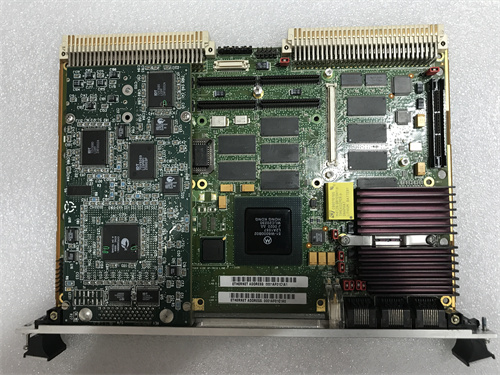
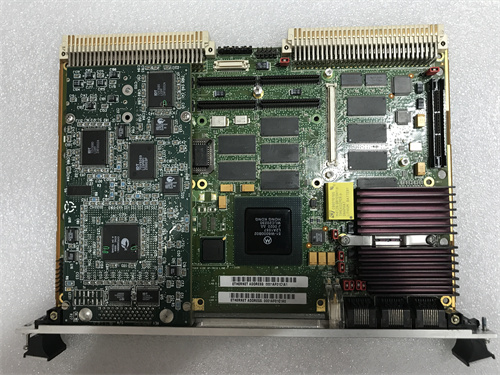
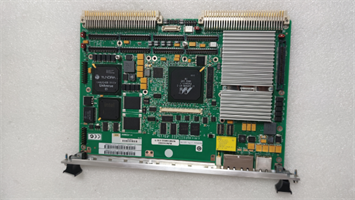
Motorola TMCP700 Transition module
Manufacturer: Motorola (Emerson)
Product Number: TMCP700
Category: CompactPCI Transition Module
System Compatibility: MCP 750 CompactPCI Single Board Computer
Function: Bridges standard peripheral ports to the front panel
Form Factor: CompactPCI transition module
Operating Temperature: 0°C to +55°C
Product Description
The Motorola TMCP700 is a transition module that played a pivotal role in CompactPCI systems. Engineered by Motorola, it was designed to bridge the gap between standard peripheral ports and the MCP 750 CompactPCI single–board computer module. Despite being discontinued, it remains relevant in legacy systems where its unique set of interfaces is crucial for maintaining system functionality.
Unlike some modern, all–in–one interface solutions, the TMCP700 was specifically tailored for the CompactPCI architecture prevalent in industrial, networking, and some specialized computing applications. It allowed for seamless integration of various legacy and standard I/O devices into the CompactPCI ecosystem, which was not always possible with generic interface cards.
In today’s context, for those still operating legacy CompactPCI–based systems, the TMCP700 serves as an irreplaceable component. For example, in certain industrial control systems where the MCP 750 is still in use, the TMCP700 enables the connection of older serial–based sensors, parallel–connected actuators, and legacy storage devices. Replacing the TMCP700 would require a complete overhaul of the system’s I/O infrastructure, which could be both time–consuming and expensive, sometimes costing upwards of $50,000 for a medium–sized industrial setup.
Detailed parameter table
| Parameter name | Parameter value |
| Product model | Motorola TMCP700 |
| Manufacturer | Motorola (now under Emerson’s portfolio) |
| Product category | Transition module for CompactPCI systems |
| Interfaces | Two asynchronous serial ports (DTE); Two asynchronous/synchronous serial ports; One parallel port (IEEE 1284–I compliant); One combination keyboard/mouse port; Two 60–pin Serial Interface Module (SIM) connectors; One 40–pin header for EIDE port; One 34–pin header for floppy port; Two 64–pin headers for PM CIO |
| Protection Features | Electro–magnetic interference (EMI) protection; Electro–static discharge (ESD) protection |
| Board Dimensions | Height: 9.187 inches (233.35 mm); Width: 3.200 inches (80.00 mm); Thickness: 0.063 inches (1.60 mm); Single–width board |
| Power Requirements | +5 VDC, 175 mA typical, 250 mA maximum; +12 VDC, 100 mA typical, 200 mA maximum (for some SIMs);–12 VDC, 100 mA (for some SIMs) |
| Application | Interface between standard ports (parallel, EIDE, floppy, keyboard/mouse, serial) and the MCP 750 CompactPCI single–board computer module |
| Product Life Cycle | Discontinued/Obsolete |
| Memory | 295 kb (as per some sources, may vary in different configurations); Can support additional flash memory |
| Communication Ports | Remote I/O (RIO); RS232 (printer) as additional communication options in some setups |
| Input Voltage Range |
35–269 V AC, 48–67 Hz (for some power–related operations, might be related to power supplies in certain applications) |
Core advantages and technical highlights
Diverse Interface Support
The TMCP700 offers an extensive range of interfaces. Its two asynchronous serial ports (DTE) and two asynchronous/synchronous serial ports are ideal for connecting to a wide variety of serial–based devices. In a manufacturing plant, these serial ports are used to communicate with legacy barcode scanners and older–generation programmable logic controllers (PLCs). The IEEE 1284–I compliant parallel port is valuable for interfacing with parallel–connected printers or certain data acquisition devices. A printing facility still uses the TMCP700’s parallel port to operate an old–but–reliable high–volume industrial printer, as modern interface cards lack the necessary drivers and protocols for this specific printer model.
EMI and ESD Protection
With built–in electro–magnetic interference (EMI) and electro–static discharge (ESD) protection, the TMCP700 ensures reliable operation in electrically noisy environments. This is especially crucial in industrial settings where electromagnetic fields from motors, transformers, and other equipment can disrupt normal operation. In a power generation plant, the TMCP700’s EMI protection allows it to function without glitches in close proximity to large–scale electrical machinery. The ESD protection helps prevent damage from static electricity, which can be a common issue in environments with low humidity or where workers are constantly handling equipment.
CompactPCI–Specific Design
Designed specifically for CompactPCI systems, the TMCP700 fits seamlessly into the existing architecture. Its single–width board design optimizes space utilization within CompactPCI chassis. In a networking router setup that uses CompactPCI technology, the TMCP700 occupies minimal space while providing all the necessary interface conversions. This is in contrast to trying to adapt non–CompactPCI–specific interface cards, which often require additional mounting brackets and may not be electrically compatible with the CompactPCI bus.
Typical application scenarios
In an industrial automation setup, the TMCP700 is used to interface between the MCP 750 CompactPCI module and a range of I/O devices. A food and beverage factory uses it to connect legacy temperature sensors (connected via serial ports) to the MCP 750 for monitoring the temperature in various production stages. The parallel port is used to control a labeling machine, ensuring accurate product labeling. The TMCP700’s ability to support these diverse interfaces without the need for complex and costly adapter setups has saved the factory an estimated $30,000 in equipment replacement and integration costs over the past five years.
Networking and Telecom
In a telecom switching station, the TMCP700 is employed to connect legacy diagnostic equipment to the CompactPCI–based control system. The serial ports are used to communicate with older–generation test equipment that checks the integrity of telephone lines. The combination keyboard/mouse port allows technicians to directly interface with the system for configuration and troubleshooting. This setup has extended the lifespan of the telecom switching station’s diagnostic capabilities, avoiding a potential $100,000 upgrade to modern diagnostic equipment.
Installation preparation
Before installing the Motorola TMCP700, ensure that the CompactPCI chassis is powered off. Wear an ESD (electro–static discharge) wristband to prevent any damage to the sensitive components of the module. Verify that the CompactPCI chassis supports the form–factor and electrical requirements of the TMCP700. Check the power supply of the chassis to ensure it can provide the necessary +5 VDC, +12 VDC, and–12 VDC voltages with the specified current ratings.
Gather the necessary cables for connecting the various interfaces. For example, use appropriate serial cables for the serial ports, a parallel cable for the parallel port, and a suitable cable for the EIDE or floppy port connections. When connecting the module to the MCP 750, carefully align the connectors to avoid any bent pins. In industrial settings, it may be necessary to secure the module in place using appropriate mounting hardware to prevent vibrations from affecting the connection.
Commissioning
Once installed, power on the CompactPCI system. Check the system logs or diagnostic software (if available) to ensure that the TMCP700 is recognized by the MCP 750. Configure the various interfaces according to the requirements of the connected devices. For serial ports, set the baud rate, parity, and data bits as per the connected serial devices. For the parallel port, configure the appropriate mode (e.g., normal, EPP, or ECP) depending on the device being connected. In networking or telecom applications, test the communication with the connected devices using appropriate diagnostic tools. For example, use a serial communication tester to verify the functionality of the serial ports.
Maintenance suggestions
Regularly check for any signs of physical damage to the TMCP700, such as bent pins or cracks on the board. Clean the module periodically using a low–pressure air duster to remove dust, especially in industrial environments where dust accumulation can affect performance. In case of any communication failures with the connected devices, first check the cable connections. If the problem persists, try re–initializing the interfaces or rebooting the CompactPCI system.
For long–term maintenance, keep spare TMCP700 modules on hand, as they are discontinued. It may also be necessary to maintain a stock of compatible cables and connectors. In industrial settings, schedule annual or bi–annual maintenance checks to ensure continued reliable operation.
Need a Custom Automation Solution?
Our team of experts can design and implement a tailored automation system to meet your specific requirements.