
Our Products
Comprehensive industrial automation solutions for global industries
Contact us
If you are interested in our products and want to know more details,please Contact us,we will reply you as soon as we can.
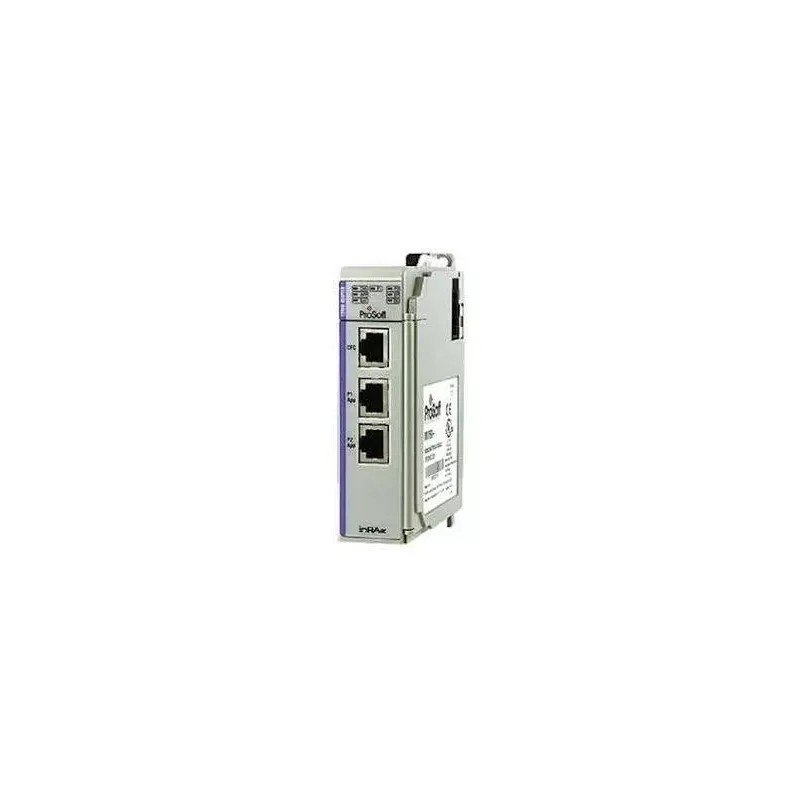
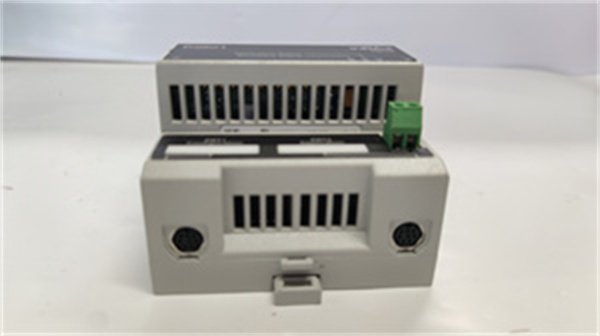
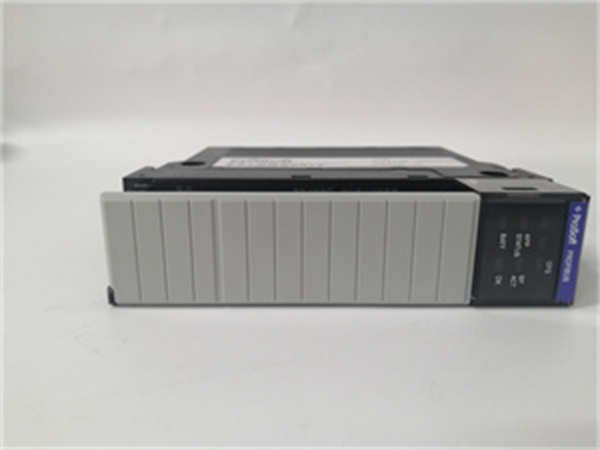
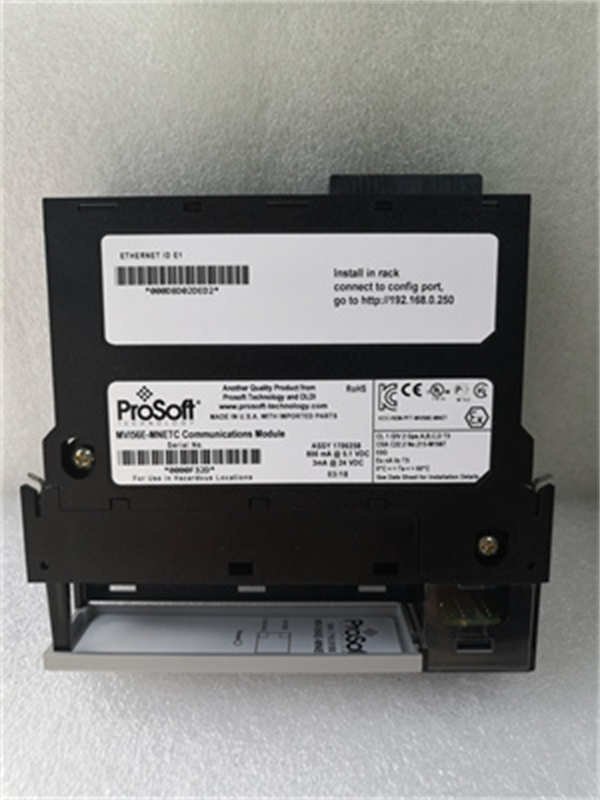
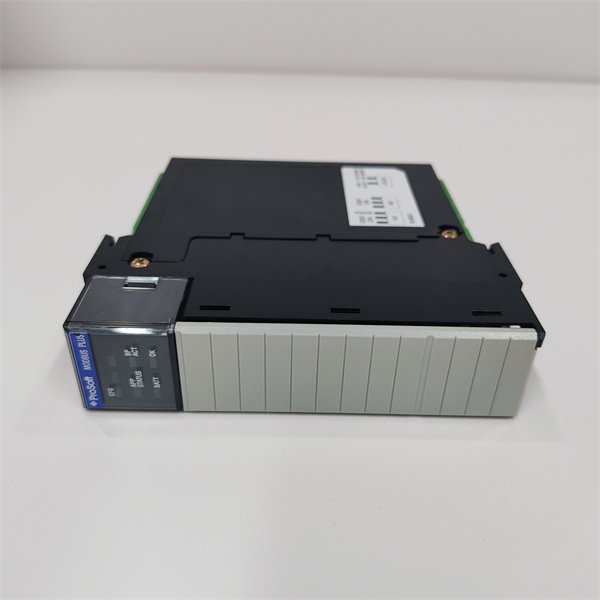
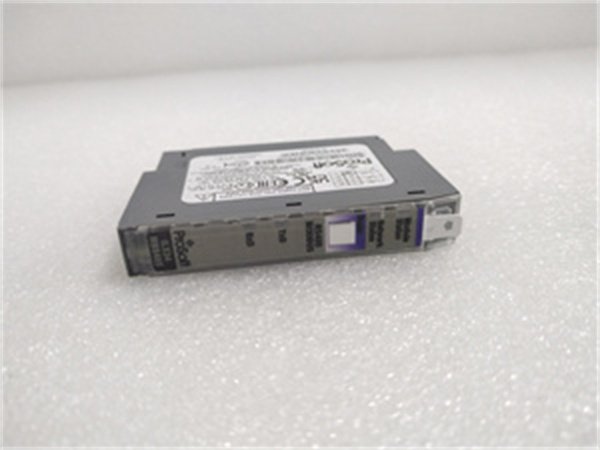
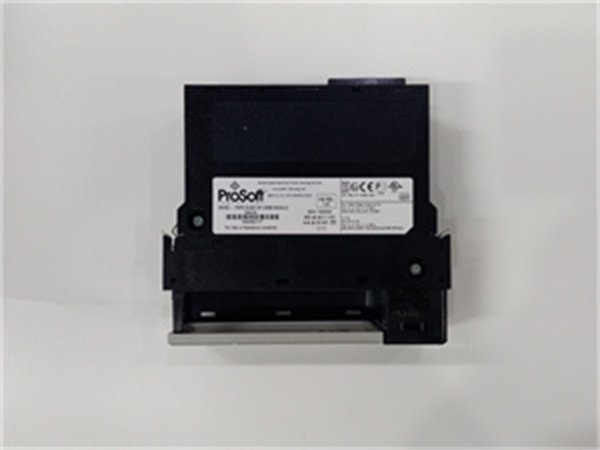
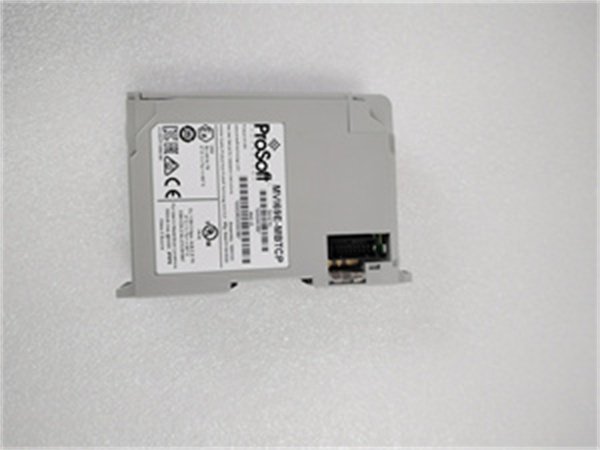
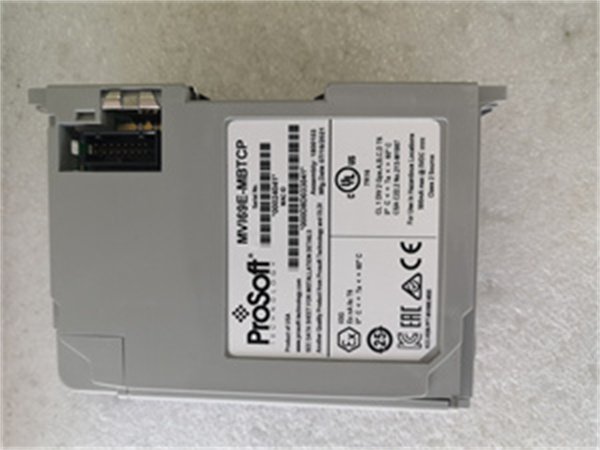
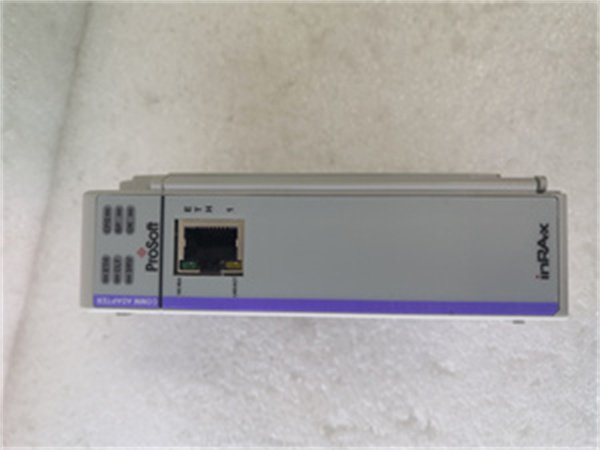
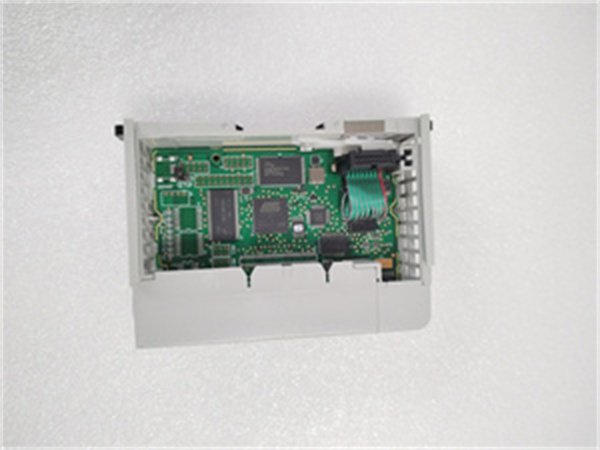
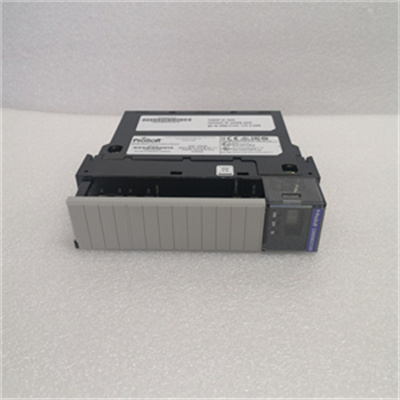
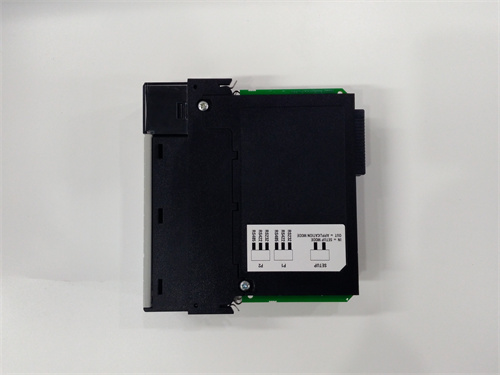
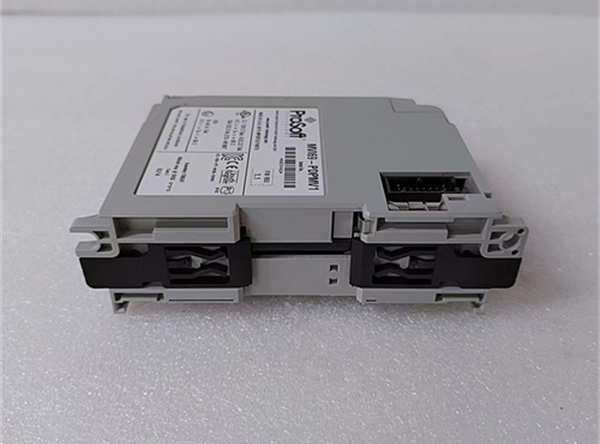
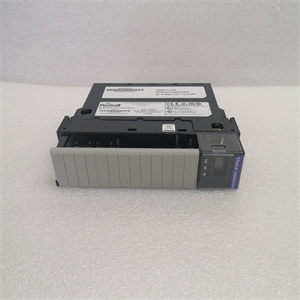
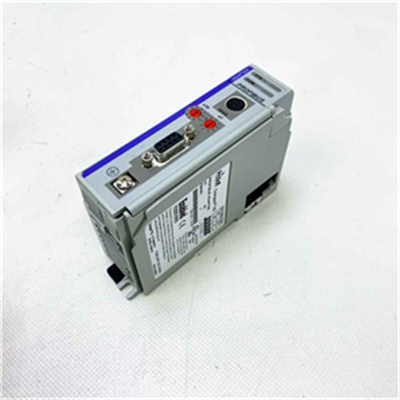
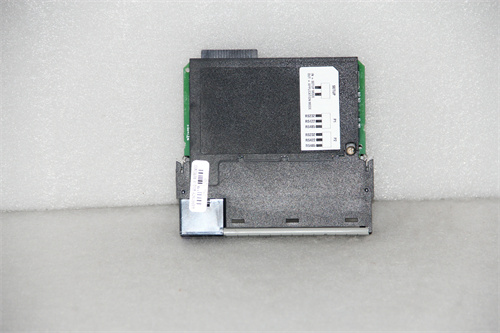
ProSoft MVI69E-MBTCP Industrial Modbus TCP Communication Module
Manufacturer: ProSoft Technology
Product Number: MVI69E-MBTCP
Category: Industrial Modbus TCP Communication Module
System Compatibility: Allen-Bradley CompactLogix PLCs
Application: Distributed industrial applications requiring Modbus TCP communication
Function: Enables seamless Modbus TCP connectivity for CompactLogix platforms
Product Description
The ProSoft MVI69E-MBTCP is a dedicated Modbus TCP communication module designed for Allen-Bradley CompactLogix PLCs, developed by ProSoft Technology (a Rockwell Automation Encompass Partner). It solves a critical challenge in distributed industrial networks: enabling CompactLogix systems (via the 1769 chassis) to communicate seamlessly with Modbus TCP-enabled devices—from remote sensors to enterprise SCADA platforms—without sacrificing speed or reliability. Unlike serial Modbus modules (e.g., ProSoft MVI69E-MBS), the ProSoft MVI69E-MBTCP leverages Ethernet to support long-distance data transfer (up to 100 meters over Cat5e) and high-throughput communication, making it ideal for applications like water treatment plants, distributed manufacturing cells, and smart building systems.
As a “distributed Modbus TCP bridge,” the ProSoft MVI69E-MBTCP unlocks flexible connectivity for CompactLogix users. For example, a municipal water treatment plant uses the ProSoft MVI69E-MBTCP to connect its CompactLogix L4x PLC (controlling pump stations) to 12 Modbus TCP flow meters (installed at remote water towers): the module acts as a Modbus TCP client to poll flow data every 100 ms, sending it to the CompactLogix PLC for leak detection and pressure adjustment. This integration eliminates the need for expensive fiber optic wiring (a $15k savings) and ensures real-time visibility into distributed assets.
Whether deployed in scattered manufacturing cells (needing cross-facility communication) or smart cities (monitoring remote infrastructure), the ProSoft MVI69E-MBTCP combines industrial ruggedness with Ethernet efficiency. Its dual Ethernet ports and Add-on Profile support ensure easy integration and reliable operation, making it indispensable for teams expanding CompactLogix networks into Modbus TCP ecosystems.
Detailed parameter table
| Parameter name | Parameter value |
| Product model | ProSoft MVI69E-MBTCP |
| Manufacturer | ProSoft Technology (a Rockwell Automation Encompass Partner) |
| Product category | Industrial Modbus TCP Communication Module (for Allen-Bradley CompactLogix) |
| Communication Protocols | Modbus TCP (client/server); Supports Modbus function codes 1–6, 15, 16, 32–35; TCP/IP v4 (static/dynamic IP); UDP for diagnostic messaging |
| Hardware Integration | CompactLogix 1769 chassis-compatible (1-slot width); 2x 10/100 Mbps Ethernet ports (RJ45, auto-sensing); Port isolation: 250 Vrms (channel-to-channel, channel-to-backplane) |
| Data Handling | Maximum Modbus TCP clients: 16 (slave mode); Maximum Modbus TCP servers: 8 (client mode); Total data capacity: Up to 10,000 words (input + output); Supports Enron/Daniel-style floating-point data; User-configurable register mapping |
| Real-Time Performance | Modbus TCP response time: < 15 ms (per request); Throughput: Up to 500 Modbus TCP requests/second; Ethernet port latency: < 5 ms; TCP connection timeout: 1–300 seconds (configurable) |
| Physical Dimensions | 1769 chassis-compatible (1-slot); 86 mm (height) × 32 mm (width) × 118 mm (depth); Weight: ~380 g; Operating temperature: 0 °C to +60 °C; Storage temperature: -40 °C to +85 °C |
| Environmental Requirements | Relative humidity: 5%–95% (non-condensing); Vibration resistance: 5 g (10 Hz–500 Hz, IEC 60068-2-6); Shock resistance: 30 g (11 ms half-sine, IEC 60068-2-27); Altitude: Up to 2000 m (derated above 1000 m) |
| Power Requirements | Power source: CompactLogix 1769 backplane (5 VDC); Backplane current consumption: < 1.0 A (operating mode); Overcurrent protection: Built-in (backplane-fused); No external power required |
| Safety & Compliance | CE (EN 61010-1, EN 61326-1); UL 61010-1 (USA/Canada); IEC 61010-1; RoHS 2 compliant (2011/65/EU); EMC compliance: EN 61000-6-2 (industrial immunity), EN 61000-6-3 (emissions); Modbus Organization Certified |
| Compatibility | Allen-Bradley systems: CompactLogix L2x/L3x/L4x (1769 chassis, firmware v16+); Modbus TCP devices: Siemens S7-1200, Schneider M340, EPRO MMS6823, Rockwell PowerFlex 755 (TCP-enabled); Configuration software: ProSoft Configuration Builder (PCB) v6.4+ (free download) |
| Additional Features | Dual Ethernet ports for network redundancy (manual failover); Co-processor functionality (reduces PLC scan time impact); Add-on Profile (AOP) for Studio 5000 integration; User-Defined Data Types (UDTs); Web-based monitoring (HTTP); Firmware update via Ethernet/backplane |
Core advantages and technical highlights
Dual Ethernet Ports for Distributed Redundancy: The ProSoft MVI69E-MBTCP’s two 10/100 Mbps Ethernet ports enable manual failover for distributed networks—critical for facilities where a single network outage could disrupt remote operations. A solar farm uses the ProSoft MVI69E-MBTCP to connect its CompactLogix PLC to 18 Modbus TCP inverters (spread across 5 acres): one Ethernet port links to the primary plant network, while the second connects to a backup Wi-Fi bridge. If the primary network fails, the module switches to the backup port in <30 seconds, avoiding a 2-hour outage that would have lost 10 MWh of energy (valued at $1,200). This redundancy is far more cost-effective than adding a second module.
Co-Processor Functionality to Preserve PLC Performance: Unlike basic communication modules that rely on the PLC’s processor, the ProSoft MVI69E-MBTCP acts as a co-processor—handling all Modbus TCP data processing independently and reducing the CompactLogix scan time impact by up to 70%. A food packaging plant uses the module to poll 24 Modbus TCP weight sensors (on 8 packaging lines) every 50 ms: the co-processor manages data transfer, allowing the CompactLogix PLC to focus on controlling fill valves and conveyor speeds. This separation ensures the PLC maintains a 10 ms scan time (critical for precise filling), reducing product waste by 12% compared to using the PLC’s main processor for Modbus tasks.
Add-on Profile (AOP) for Studio 5000 Integration: The ProSoft MVI69E-MBTCP includes an Add-on Profile for Rockwell’s Studio 5000 software—enabling seamless configuration and tag integration without custom code. A manufacturing technician configures the module in 30 minutes (vs. 2 hours with non-AOP modules): the AOP auto-generates ControlLogix-style tags for Modbus registers and populates them directly into the Studio 5000 project. This eliminates manual tag mapping errors (which cause 40% of Modbus communication issues) and ensures the module works in sync with other CompactLogix I/O. For teams familiar with Studio 5000, this integration cuts training time by 50%.
Modbus TCP Throughput for High-Density Polling: With support for 500 Modbus TCP requests per second, the ProSoft MVI69E-MBTCP handles high-density polling for distributed device fleets. A warehouse uses the module to poll 32 Modbus TCP barcode scanners (on automated storage/retrieval systems) every 200 ms: the high throughput ensures the CompactLogix PLC receives real-time inventory data, enabling it to optimize order picking routes. This speed reduces order processing time by 18% compared to entry-level Modbus TCP modules (200 requests/second), which struggled to keep up with the scanner data flow.
Typical application scenarios
In water treatment, a regional utility uses the ProSoft MVI69E-MBTCP to connect 6 CompactLogix L3x PLCs (each at a remote pump station) to a central Modbus TCP SCADA system. Each ProSoft MVI69E-MBTCP acts as a Modbus TCP slave, sharing pump status (run/ fault), flow rate, and pressure data with the SCADA system. The module’s dual Ethernet ports link to both a primary fiber network and a 4G LTE backup: during a fiber cut in a storm, the backup port maintains communication, allowing the SCADA system to remotely switch to standby pumps. This prevents a 6-hour water outage for 10,000 residents and avoids $50k in emergency response costs.
In manufacturing, a consumer electronics plant uses 8 ProSoft MVI69E-MBTCP modules to connect CompactLogix L4x PLCs (controlling 8 assembly cells) to a Modbus TCP-based MES (Manufacturing Execution System). Each module polls cell-specific data (production counts, defect rates) every 100 ms and sends it to the MES for real-time OEE (Overall Equipment Efficiency) tracking. The module’s co-processor functionality ensures the CompactLogix PLCs maintain a 15 ms scan time (critical for robotic assembly), while the AOP integration allows the MES team to map tags without PLC programming expertise. This setup increases OEE visibility by 30% and reduces data integration time by 40%.
Installation, commissioning and maintenance instructions
Installation preparation: Before installing ProSoft MVI69E-MBTCP, confirm the CompactLogix 1769 chassis has an empty slot and the PLC firmware is v16+. Power off the chassis to avoid backplane damage. Wear an ESD wristband to protect the module’s electronics. Align the ProSoft MVI69E-MBTCP with the chassis guides and firmly seat it into the slot (apply even pressure to avoid bent pins). Power on the chassis and verify the module’s power LED illuminates green (indicates backplane communication). Download the Add-on Profile (AOP) from ProSoft’s website and import it into Studio 5000 to enable tag auto-generation.
Commissioning steps: Connect Ethernet cables (Belden 1694A Cat6) to the module’s two ports—Port 1 to the primary network (e.g., SCADA), Port 2 to the backup (e.g., Wi-Fi bridge). Use PCB software to configure IP addresses (static/dynamic) and Modbus mode (client/server). In Studio 5000, use the AOP to map Modbus registers to CompactLogix tags (e.g., flow rate = 40001). Test communication by polling a Modbus TCP device (e.g., Siemens S7-1200) and verifying tag values update in real time. Enable web monitoring (default IP: 192.168.1.270) to track TCP connections and request latency.
Maintenance suggestions: Inspect ProSoft MVI69E-MBTCP monthly: Check LEDs (green = power/backplane, blue = Ethernet link, amber = data transfer, red = fault); Clean Ethernet ports with compressed air to remove dust. For troubleshooting, use the web interface to monitor TCP connection status and Modbus request logs—if communication fails, verify IP settings and cable continuity (use a Cat6 tester). Update firmware quarterly via Ethernet (download from ProSoft’s website) to support new Modbus function codes. Store spares in a dry, 0 °C to +50 °C environment—avoid exposure to corrosive gases (e.g., chlorine in water plants) or extreme temperatures.
 Loading comments...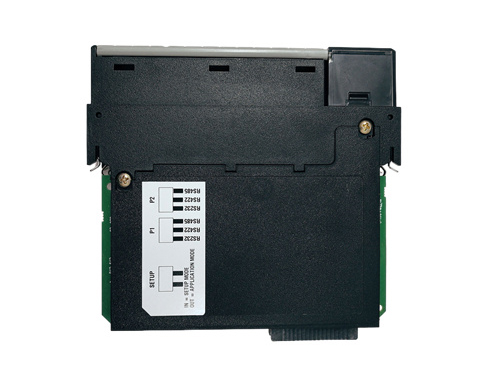
ProSoft MVI69E-MBTCP Industrial Modbus TCP Communication Module
Manufacturer: ProSoft Technology
Product Number: MVI69E-MBTCP
Category: Industrial Modbus TCP Communication Module
System Compatibility: Allen-Bradley CompactLogix PLCs
Application: Distributed industrial applications requiring Modbus TCP communication
Function: Enables seamless Modbus TCP connectivity for CompactLogix platforms
Product Description
The ProSoft MVI69E-MBTCP is a dedicated Modbus TCP communication module designed for Allen-Bradley CompactLogix PLCs, developed by ProSoft Technology (a Rockwell Automation Encompass Partner). It solves a critical challenge in distributed industrial networks: enabling CompactLogix systems (via the 1769 chassis) to communicate seamlessly with Modbus TCP-enabled devices—from remote sensors to enterprise SCADA platforms—without sacrificing speed or reliability. Unlike serial Modbus modules (e.g., ProSoft MVI69E-MBS), the ProSoft MVI69E-MBTCP leverages Ethernet to support long-distance data transfer (up to 100 meters over Cat5e) and high-throughput communication, making it ideal for applications like water treatment plants, distributed manufacturing cells, and smart building systems.
As a “distributed Modbus TCP bridge,” the ProSoft MVI69E-MBTCP unlocks flexible connectivity for CompactLogix users. For example, a municipal water treatment plant uses the ProSoft MVI69E-MBTCP to connect its CompactLogix L4x PLC (controlling pump stations) to 12 Modbus TCP flow meters (installed at remote water towers): the module acts as a Modbus TCP client to poll flow data every 100 ms, sending it to the CompactLogix PLC for leak detection and pressure adjustment. This integration eliminates the need for expensive fiber optic wiring (a $15k savings) and ensures real-time visibility into distributed assets.
Whether deployed in scattered manufacturing cells (needing cross-facility communication) or smart cities (monitoring remote infrastructure), the ProSoft MVI69E-MBTCP combines industrial ruggedness with Ethernet efficiency. Its dual Ethernet ports and Add-on Profile support ensure easy integration and reliable operation, making it indispensable for teams expanding CompactLogix networks into Modbus TCP ecosystems.
Detailed parameter table
| Parameter name | Parameter value |
| Product model | ProSoft MVI69E-MBTCP |
| Manufacturer | ProSoft Technology (a Rockwell Automation Encompass Partner) |
| Product category | Industrial Modbus TCP Communication Module (for Allen-Bradley CompactLogix) |
| Communication Protocols | Modbus TCP (client/server); Supports Modbus function codes 1–6, 15, 16, 32–35; TCP/IP v4 (static/dynamic IP); UDP for diagnostic messaging |
| Hardware Integration | CompactLogix 1769 chassis-compatible (1-slot width); 2x 10/100 Mbps Ethernet ports (RJ45, auto-sensing); Port isolation: 250 Vrms (channel-to-channel, channel-to-backplane) |
| Data Handling | Maximum Modbus TCP clients: 16 (slave mode); Maximum Modbus TCP servers: 8 (client mode); Total data capacity: Up to 10,000 words (input + output); Supports Enron/Daniel-style floating-point data; User-configurable register mapping |
| Real-Time Performance | Modbus TCP response time: < 15 ms (per request); Throughput: Up to 500 Modbus TCP requests/second; Ethernet port latency: < 5 ms; TCP connection timeout: 1–300 seconds (configurable) |
| Physical Dimensions | 1769 chassis-compatible (1-slot); 86 mm (height) × 32 mm (width) × 118 mm (depth); Weight: ~380 g; Operating temperature: 0 °C to +60 °C; Storage temperature: -40 °C to +85 °C |
| Environmental Requirements | Relative humidity: 5%–95% (non-condensing); Vibration resistance: 5 g (10 Hz–500 Hz, IEC 60068-2-6); Shock resistance: 30 g (11 ms half-sine, IEC 60068-2-27); Altitude: Up to 2000 m (derated above 1000 m) |
| Power Requirements | Power source: CompactLogix 1769 backplane (5 VDC); Backplane current consumption: < 1.0 A (operating mode); Overcurrent protection: Built-in (backplane-fused); No external power required |
| Safety & Compliance | CE (EN 61010-1, EN 61326-1); UL 61010-1 (USA/Canada); IEC 61010-1; RoHS 2 compliant (2011/65/EU); EMC compliance: EN 61000-6-2 (industrial immunity), EN 61000-6-3 (emissions); Modbus Organization Certified |
| Compatibility | Allen-Bradley systems: CompactLogix L2x/L3x/L4x (1769 chassis, firmware v16+); Modbus TCP devices: Siemens S7-1200, Schneider M340, EPRO MMS6823, Rockwell PowerFlex 755 (TCP-enabled); Configuration software: ProSoft Configuration Builder (PCB) v6.4+ (free download) |
| Additional Features | Dual Ethernet ports for network redundancy (manual failover); Co-processor functionality (reduces PLC scan time impact); Add-on Profile (AOP) for Studio 5000 integration; User-Defined Data Types (UDTs); Web-based monitoring (HTTP); Firmware update via Ethernet/backplane |
Core advantages and technical highlights
Dual Ethernet Ports for Distributed Redundancy: The ProSoft MVI69E-MBTCP’s two 10/100 Mbps Ethernet ports enable manual failover for distributed networks—critical for facilities where a single network outage could disrupt remote operations. A solar farm uses the ProSoft MVI69E-MBTCP to connect its CompactLogix PLC to 18 Modbus TCP inverters (spread across 5 acres): one Ethernet port links to the primary plant network, while the second connects to a backup Wi-Fi bridge. If the primary network fails, the module switches to the backup port in <30 seconds, avoiding a 2-hour outage that would have lost 10 MWh of energy (valued at $1,200). This redundancy is far more cost-effective than adding a second module.
Co-Processor Functionality to Preserve PLC Performance: Unlike basic communication modules that rely on the PLC’s processor, the ProSoft MVI69E-MBTCP acts as a co-processor—handling all Modbus TCP data processing independently and reducing the CompactLogix scan time impact by up to 70%. A food packaging plant uses the module to poll 24 Modbus TCP weight sensors (on 8 packaging lines) every 50 ms: the co-processor manages data transfer, allowing the CompactLogix PLC to focus on controlling fill valves and conveyor speeds. This separation ensures the PLC maintains a 10 ms scan time (critical for precise filling), reducing product waste by 12% compared to using the PLC’s main processor for Modbus tasks.
Add-on Profile (AOP) for Studio 5000 Integration: The ProSoft MVI69E-MBTCP includes an Add-on Profile for Rockwell’s Studio 5000 software—enabling seamless configuration and tag integration without custom code. A manufacturing technician configures the module in 30 minutes (vs. 2 hours with non-AOP modules): the AOP auto-generates ControlLogix-style tags for Modbus registers and populates them directly into the Studio 5000 project. This eliminates manual tag mapping errors (which cause 40% of Modbus communication issues) and ensures the module works in sync with other CompactLogix I/O. For teams familiar with Studio 5000, this integration cuts training time by 50%.
Modbus TCP Throughput for High-Density Polling: With support for 500 Modbus TCP requests per second, the ProSoft MVI69E-MBTCP handles high-density polling for distributed device fleets. A warehouse uses the module to poll 32 Modbus TCP barcode scanners (on automated storage/retrieval systems) every 200 ms: the high throughput ensures the CompactLogix PLC receives real-time inventory data, enabling it to optimize order picking routes. This speed reduces order processing time by 18% compared to entry-level Modbus TCP modules (200 requests/second), which struggled to keep up with the scanner data flow.
Typical application scenarios
In water treatment, a regional utility uses the ProSoft MVI69E-MBTCP to connect 6 CompactLogix L3x PLCs (each at a remote pump station) to a central Modbus TCP SCADA system. Each ProSoft MVI69E-MBTCP acts as a Modbus TCP slave, sharing pump status (run/ fault), flow rate, and pressure data with the SCADA system. The module’s dual Ethernet ports link to both a primary fiber network and a 4G LTE backup: during a fiber cut in a storm, the backup port maintains communication, allowing the SCADA system to remotely switch to standby pumps. This prevents a 6-hour water outage for 10,000 residents and avoids $50k in emergency response costs.
In manufacturing, a consumer electronics plant uses 8 ProSoft MVI69E-MBTCP modules to connect CompactLogix L4x PLCs (controlling 8 assembly cells) to a Modbus TCP-based MES (Manufacturing Execution System). Each module polls cell-specific data (production counts, defect rates) every 100 ms and sends it to the MES for real-time OEE (Overall Equipment Efficiency) tracking. The module’s co-processor functionality ensures the CompactLogix PLCs maintain a 15 ms scan time (critical for robotic assembly), while the AOP integration allows the MES team to map tags without PLC programming expertise. This setup increases OEE visibility by 30% and reduces data integration time by 40%.
Installation, commissioning and maintenance instructions
Installation preparation: Before installing ProSoft MVI69E-MBTCP, confirm the CompactLogix 1769 chassis has an empty slot and the PLC firmware is v16+. Power off the chassis to avoid backplane damage. Wear an ESD wristband to protect the module’s electronics. Align the ProSoft MVI69E-MBTCP with the chassis guides and firmly seat it into the slot (apply even pressure to avoid bent pins). Power on the chassis and verify the module’s power LED illuminates green (indicates backplane communication). Download the Add-on Profile (AOP) from ProSoft’s website and import it into Studio 5000 to enable tag auto-generation.
Commissioning steps: Connect Ethernet cables (Belden 1694A Cat6) to the module’s two ports—Port 1 to the primary network (e.g., SCADA), Port 2 to the backup (e.g., Wi-Fi bridge). Use PCB software to configure IP addresses (static/dynamic) and Modbus mode (client/server). In Studio 5000, use the AOP to map Modbus registers to CompactLogix tags (e.g., flow rate = 40001). Test communication by polling a Modbus TCP device (e.g., Siemens S7-1200) and verifying tag values update in real time. Enable web monitoring (default IP: 192.168.1.270) to track TCP connections and request latency.
Maintenance suggestions: Inspect ProSoft MVI69E-MBTCP monthly: Check LEDs (green = power/backplane, blue = Ethernet link, amber = data transfer, red = fault); Clean Ethernet ports with compressed air to remove dust. For troubleshooting, use the web interface to monitor TCP connection status and Modbus request logs—if communication fails, verify IP settings and cable continuity (use a Cat6 tester). Update firmware quarterly via Ethernet (download from ProSoft’s website) to support new Modbus function codes. Store spares in a dry, 0 °C to +50 °C environment—avoid exposure to corrosive gases (e.g., chlorine in water plants) or extreme temperatures.
Need a Custom Automation Solution?
Our team of experts can design and implement a tailored automation system to meet your specific requirements.